See what your time is worth.
Earnclock turns your working hours into a live earnings counter. Start a session, watch the money add up in real time, and put every hour toward the things you actually want.
Free to download · Pro is a one-time $8.99 · No subscription
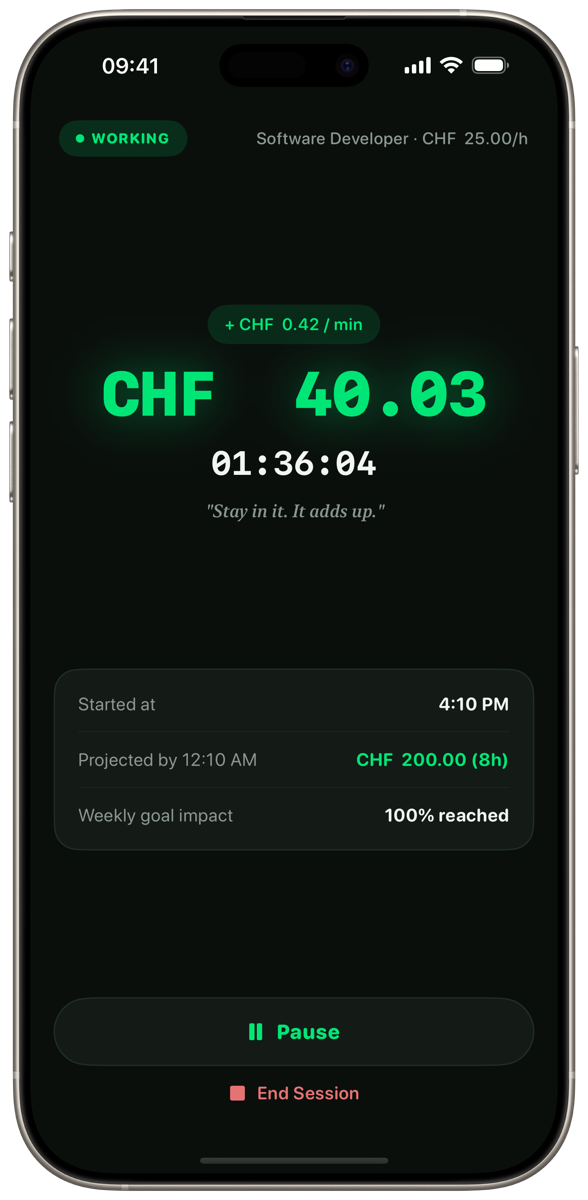
Earned today
USD 42.13
USD 25.00/h
Work
How much am I earning right now?
A live counter for every session, down to the cent.
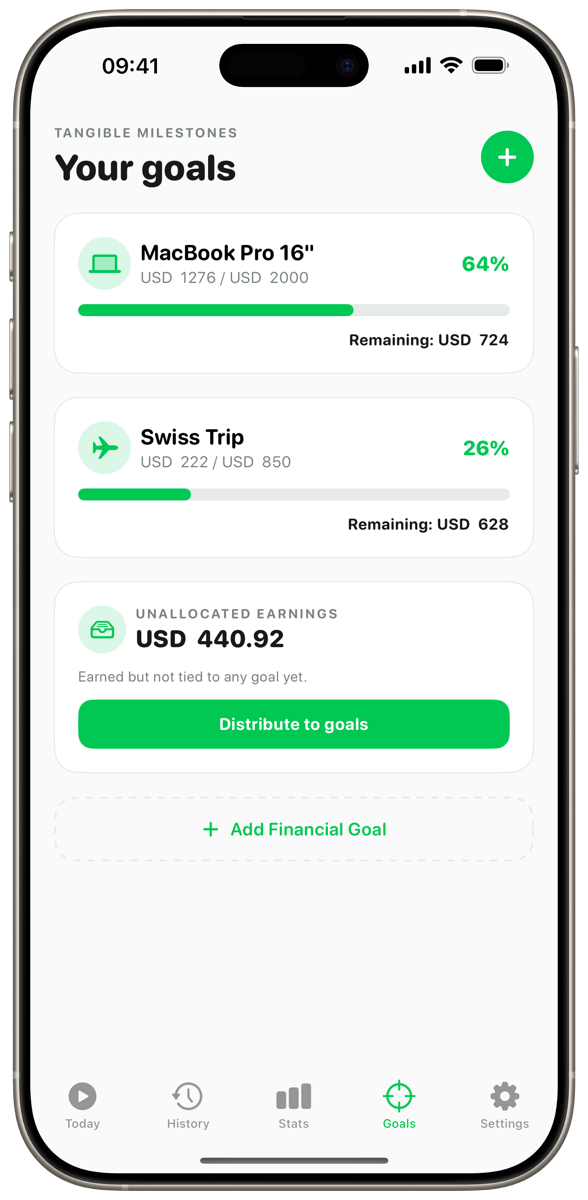
Goals
What am I working towards?
Point your earnings at a trip, a gadget, or your savings.
Calculate
How much of my time does it cost?
See any price in hours of work before you buy.
Features
Simple to start. Hard to put down.
Real-time earnings
Watch every minute turn into money.
Tap Start and Earnclock counts your earnings live, per second, based on your hourly rate. It's the most motivating clock you've ever stared at.
- Per-minute earnings ticker and session timer
- Projected earnings for the rest of your day
- Separate jobs with their own rates and currencies
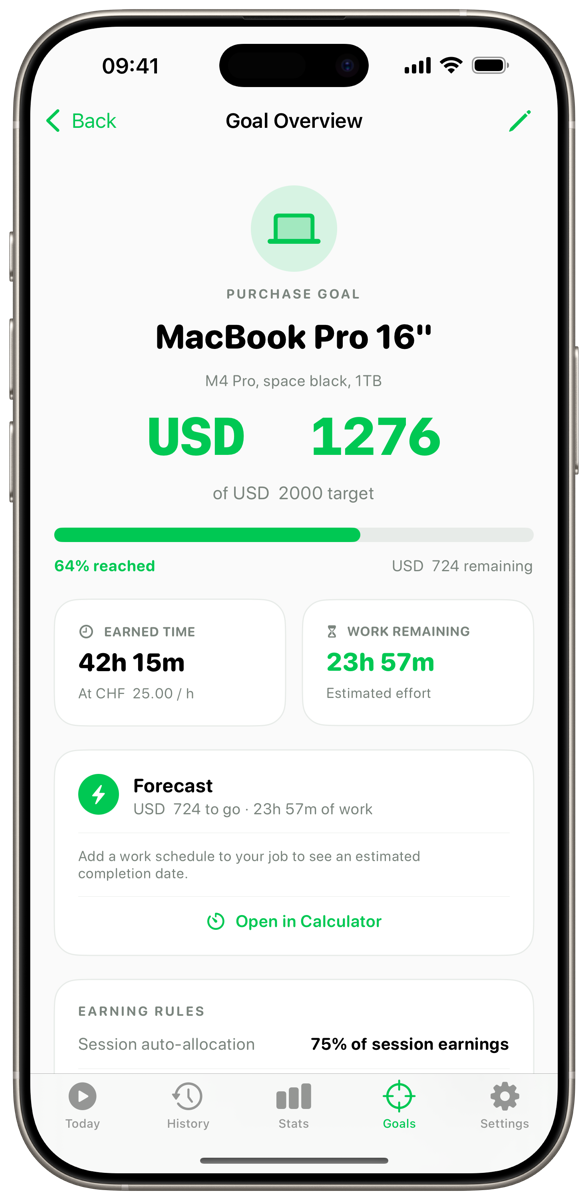
Goals
Turn hours into the things you want.
Create a goal — a MacBook, a weekend in Paris, an emergency fund — and every session moves you closer. Earnclock shows exactly how much work is left.
- Progress, earned time and work remaining for each goal
- Auto-allocate a share of every session
- Distribute unallocated earnings in one tap
History & stats
Know where your time really went.
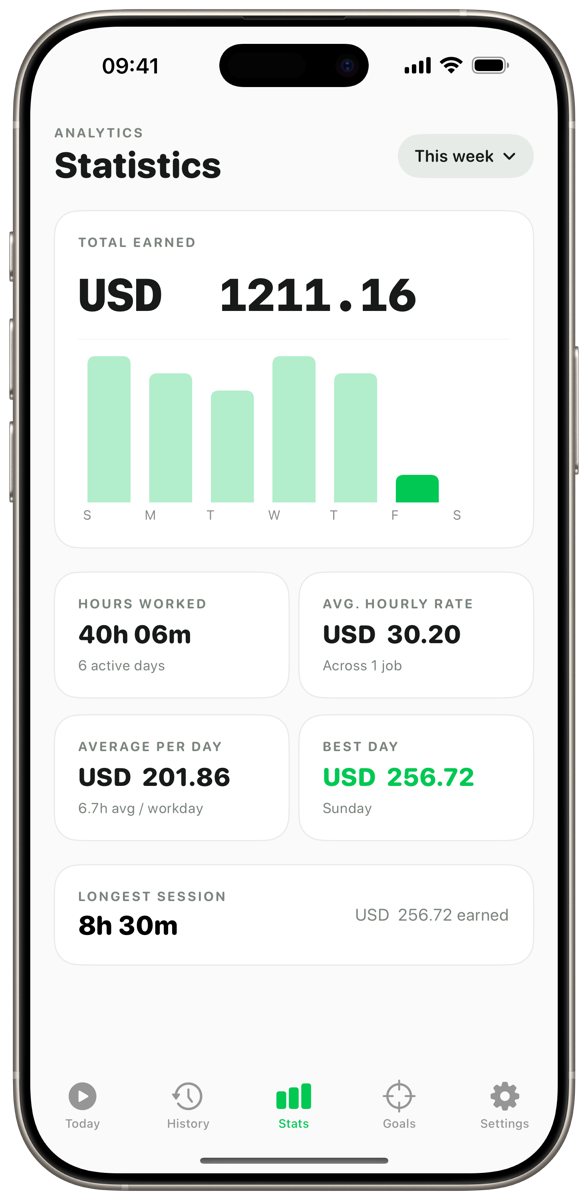
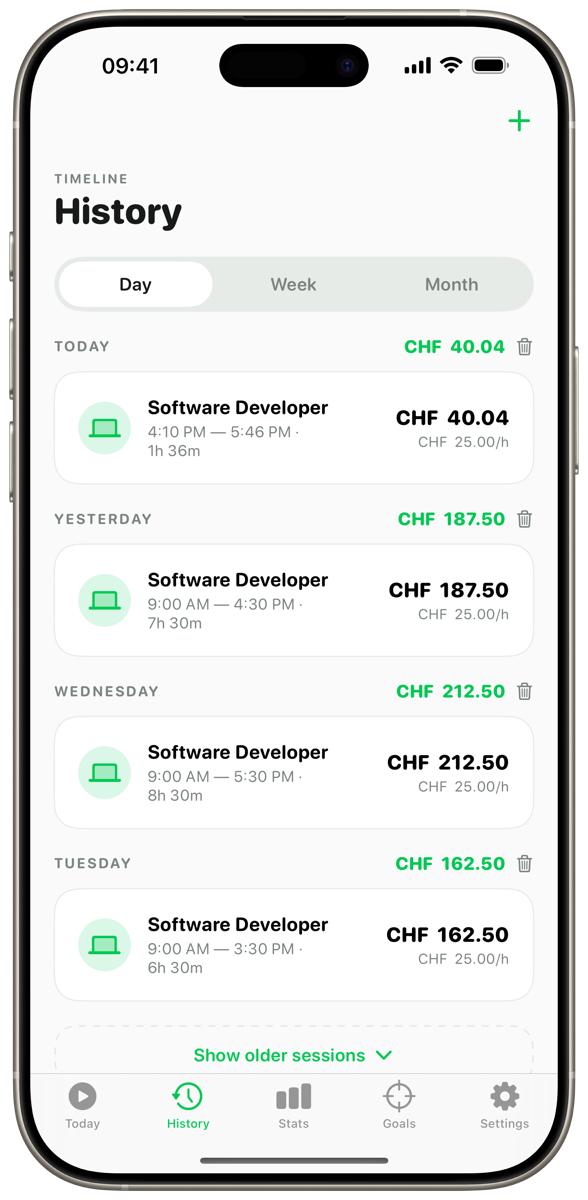
Every session is saved with its duration, rate and earnings. Weekly charts show your best days, average hourly rate and longest sessions at a glance.
- Full session history with detail views
- Weekly totals, averages and best day
- Log past sessions manually
Everywhere you work
Glanceable on all your Apple devices.
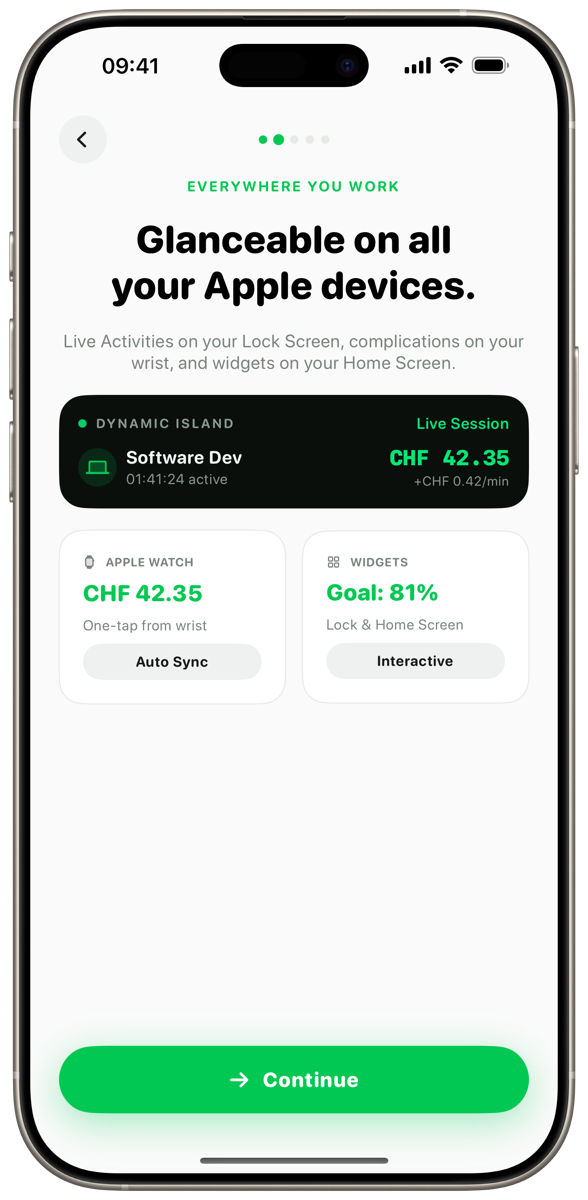
Live Activities on your Lock Screen and Dynamic Island, interactive widgets on your Home Screen, and a live counter on your wrist.
- Dynamic Island & Lock Screen Live Activity
- Interactive Home Screen widgets
- Apple Watch app with one-tap start and complications
Calculate
What does it really cost? In hours.
Earnclock turns any price into the time it takes to earn it. Give it a try.
Something you want
MacBook Pro costs you
80h 00m
of your time
In Earnclock, turn it into a goal and watch every session move you closer.
Download on theApp StoreHow it works
Three steps to a clearer paycheck.
- 1
Set up your work
Add a job with your hourly rate and currency. Optionally set a weekly schedule for projections.
- 2
Start the clock
Tap Start from the app, a widget or your Apple Watch. Your earnings grow live while you work.
- 3
Put it to work
When the session ends, send what you earned toward your goals and watch them fill up.
- Multiple jobs & rates
- Multi-currency
- Live Activities
- Home Screen widgets
- Apple Watch
- iCloud sync
- Smart notifications
- Private by design
Your time is worth something. See it.
Download Earnclock for free and start your first session in under a minute.
Download on theApp Store